1

iPhone Tip: Full Song Title Not Visible? Hold Your Finger On It

One major annoyance for me on the iPhone is when long song titles, podcasts, videos, etc, don’t fit on the screen and are cut off. Thankfully, Apple offers a simple solution to see the full title, just hold your finger on the track, and the full title will appear in a pop-up (see image below):
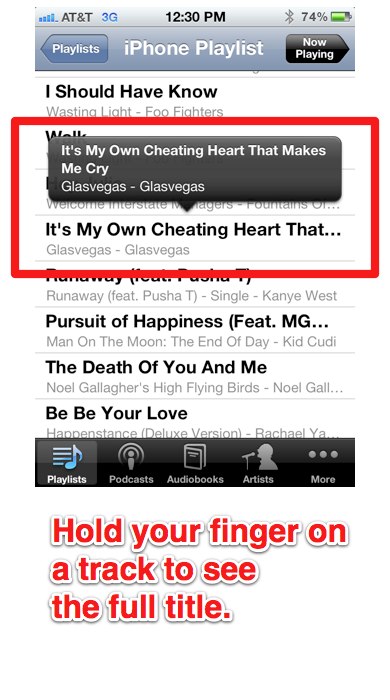

Hold finger on title in iPhone iTunes iPhone Tip: Full Song Title Not Visible? Hold Your Finger On It


Related posts:

  1. How to Force the iPhone to Shut Down and Restart
  2. How to Force an App to Close (iPhone and iPad Tip)
  3. How to Add a Pause to Telephone Numbers on the iPhone

  1. JonathanN says:

    Great!! I didn’t knew that! Thanks for sharing!

    Like or Dislike: Thumb up 0 Thumb down 0

QR Code Business Card