With over 300,000 apps in the App Store, it can be tough to find the best. Here are our picks for the best iPhone apps from the iTunes store, reviewed and gathered together for easy browsing and downloading. To download, click the price next to the app’s name (it will launch iTunes). If you’re looking for the best iPhone games, see our Best iPhone Games page.


Screenshot Review summary and links
Radio Alarm ($1.99) is a beautiful alarm-clock app that runs in the background and lets you wake up to your favorite radio station or music from your iPod music. Comes with many other features like a sleep timer, nature sounds to go to sleep to, and Retina Display-friendly graphics. Features over 30,000 stations from Shoutcast radio. Review.
Groups 2 ($4.99) lets you create and mangage groups of contacts on the iPhone—something the iPhone’s Contacts app cannot do. Send out mass emails and text messages to groups. Sort contacts by birthdays. Fast drag-n-drop interface. Overall, a slick and powerful app for anyone who needs more powerful tools to manage their contacts on the iPhone. Review.
RunKeeper Free (free). Great free tool for runners. Records time and distance and plots your run out on a map for later viewing. Review.
Grocery IQ (free) lets you create grocery lists quickly and accurately. Features a database of millions of grocery items so you don’t have type full grocery names. Tons of other features like a barcode scanner to quickly add items to lists, send lists over email, and favorites list. Review.
WunderRadio ($6.99) has the most extensive collection of radio stations of all iPhone radio apps (50,000+). Remember your favorites for quick listening. Supports background listening for iOS 4.0+. Features tons of other audio content in addition to local radio, including police scanners, XMSirius (with subscription), and on-demand historical content like the Pearl Harbor attack. Review.
i.TV (free) is the best app for TV listings, but also comes packed with out features, like local movie listings, managing your Netflix account, TiVO remote, and more. Review.
MyFitnessPal (free)is a free calorie counter and powerful dieting tool. Create a custom daily calorie goal. Track your calories by entering in the foods you ate. Take advantage of the app’s huge database of foods to quickly find calorie counts as well as other nutritional info. Track your exercises and automatically add the calories burned to your calorie goals. Works with the MyFitnessPal website so you can track your calories anywhere, on the go or at the office. Website is free too. Review.
To Do’s List (free) is simple and to-do list creator with some powerful extra features like local notifications, password protection, and exporting tasks to the iPhone’s Calendar. Yet it never loses sight of making it easy to create a new to-do item with the minimun number of taps. Great for a free app. Review.
Twitter (free) used to be called Tweetie 2 until Twitter (the company) bought the app and released it as their official client. And they picked the best of the bunch, as it was our pick for the best Twitter app. And it’s now free! Features Tweet search, Top Tweet lists, trending topics, and maps that show whats happening nearby. Review.
The Weather Channel (free) has long been our top Weather app pick. It focuses on quick and easy access to weather information, including animated radar maps, 10-day extended forecasts, and video forecasts. Review.
Remote (free) lets you control iTunes and Apple TV over your WiFi network. The official app from Apple for managing your iTunes library using your iPhone or iPod touch. Review.
Google Mobile App (free) is the official app from Google that lets you use voice recognition to search the web, local, or your contacts. Simply speak into the iPhone, and Google does the rest. Very convenient for situations where you can’t type.
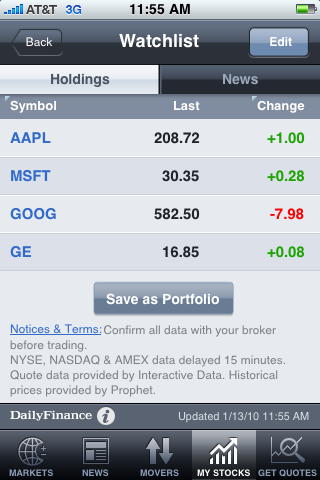
CNBC Real-Time (free). offers free real-time stock quotes (still a rarity in the financial worl)d, CNBC videos (good videos at that), push notifications, and a slick interface make this one of our 2 top financial apps. Review.
Bloomberg (free) offers tons of Bloomberg’s top financial news content and powerful market watching tools like portfolios, world markets, currencies, etc. It’s a powerful financial app for the novice and professional investor alike. Review.
USA Today (free) brings the one the country’s most-read newspapers to the iPhone. The app is everything an iPhone app should be: easy to use and quick with eye-pleasing graphics, good content, and extensive features. Review.
Facebook (free) is the official Facebook app for your iPhone. Post to your wall, message friends, and view photos.
Pandora (free) has long been our favorite iPhone radio app. The free service is uncanny in finding music you want to listen to. Create your own radio stations with your favorite artists. Discover similar music, tap thumbs up for music you like, thumbs down for what you don’t. The app learns your tastes and serves up more until your sonic appetite is stuffed with good music. Review.
Sportacular (free) is our favorite sports app based on the strength of its features. While not the prettiest of apps, we love the live scores, free push notifications, and comprehensive sports news coverage (the best of any iPhone sports app). Review.
ESPN Scorecenter (free) is the official app from the largest sports cable network. Easy on the eyes, the app provides quick and easy access to live scores to all your favorite sports. Push notifications alert you to scores with ESPN’s trademark jingle. Review.
Yellow Pages (free) is the classic phone directory on your iPhone. Get phone numbers and addresses for local businesses. One touch dialing. One touch mapping in Google Maps. One touch adding of contact information. GPS makes it easy to find businesses closest to you. Review.
Speedtest.net (free). Measure and track your iPhone’s download speed on 3G, EDGE, and WiFI networks. Review.
SHOUTcast Radio (free). The best free radio app with over 25,000 stations. Review.
Flickit (free). Upload photos to your Flickr account wirelessly with the iPhone. Review
Netflix (free) is the official app that lets you watch your Netflix instant streaming movies on your iPhone. Supports streaming over 3G and WiFi. Unfortunately, it doesn’t let you add or organize your regular snail-mail movie queue. See the next app in this list for that.
PhoneFlicks – Netflix Queue Manager (free). Manage your Netflix queue from your iPhone. Browse and search the entire Netflix catalog. Add and remove movies. Reorder your queue. Review.
Contacts Fast Add (free). Add a contact (name, phone, email) much quicker than the iPhone’s default contacts app. Perfect if you are starting over with the iPhone and need to add a lot of contacts quickly. Review.
ColorSplash ($1.99). Cool photo app that turns your photos into black & white and let’s you selectively add color back. A popular, top-selling app. Review.
Skype (free). Make phone calls over the Internet using WiFi. Lower your phone bills. Review.
Photogene ($2.99). Edit your photos on the iPhone with tools like crop and color correction. Well-designed interface that works flawlessly. The app was featured in the iPhone commercial “Student.” Review.
Dictionary.com (free). Carry a full dictionary and thesaurus in your pocket on your iPhone. Best of all, it’s free. Review.
White Noise ($1.99). Our pick for the top white noise and ambient noise app. Review.
Shopsavvy (free) is a barcode scanning app useful for comparison shopping. Scan a product’s barcode and get prices from online stores when you’re out shopping in the real world. A good shopping reminder tool. Create and save wish lists. Never pay too much again. Review.
Discover Mobile (free). View your Discover Card account on the go. Check balance, pay bills, view rewards, see recent transactions. Review.
American Express (free). Keep track of your American Express credit card balance. Pay bills, view rewards. Supports many different types AMEX cards. Review at iPhone JD.
FantasyMonster ($3.99). Manage your Yahoo and ESPN Fantasy sports team (baseball, football, hockey, and basketball). Review.
Banking apps (various) (free). View your savings and checking accounts in these apps for the major US banks. See our roundup article for links.