Review Summary
Ballistic Shell Gel iPhone 5 Case
Price: $35
Art of the iPhone’s Rating: ★★★★★
(5 stars out of 5)
Review Summary: All function—very little fashion, and there’s nothing wrong with that. This utilitarian case protects the iPhone 5 where it needs it most, without getting in the way of using the iPhone.
Reviewed by: Art of the iPhone
If you walk into any retail store that carries iPhone cases, the shelves will be lined with thin, cheaply made hard-plastic cases that lure customers in with bright fashionable patterns or other stylish visual gimmicks. These fashion-focused iPhone cases may mean high profit margins for manufacturers, but usually poor performance for iPhone owners. Then there are the thicker, more protective cases that lack the fashionable good looks, but perform well. They are the Saabs of the iPhone case worlds.
The Ballistic Shell Gel SG Series case for iPhone 5 ($35) is not what I’d called a “looker,” but it is a case that performs extremely well, providing excellent protection while not getting in the way of using the iPhone’s various features. In other words, it’s exactly our kind of case.
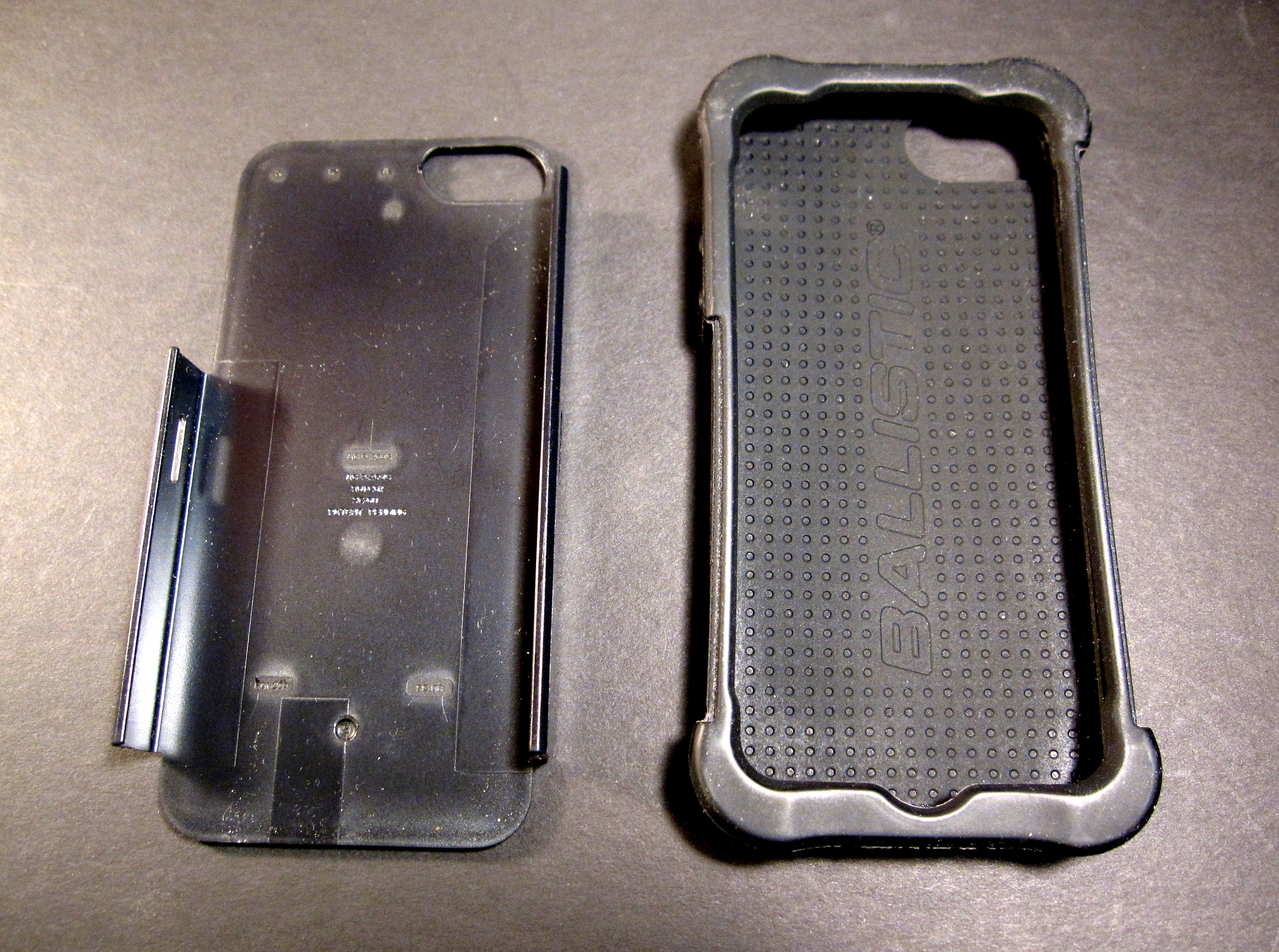
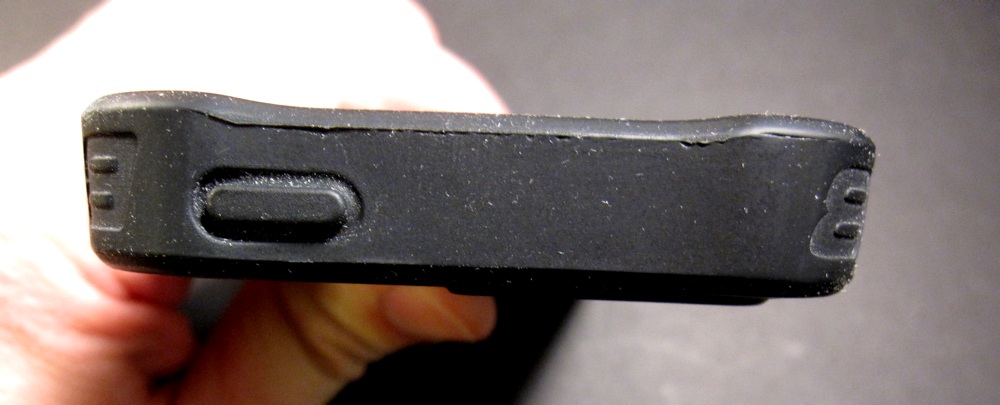
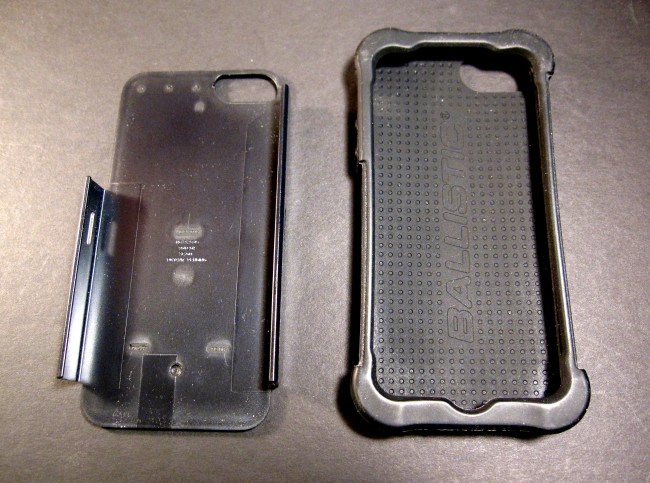
Protection. Even though Ballistic claims the Shell Gel is a “three-layer” case, a more accurate description would be two layers with some extra padding in its corners. The Shell Gel has a a soft polymer inner sleeve that wraps, somewhat loosely, around the iPhone, then a second outer player that is a hard plastic shell, which adds strength and rigidity. This mysterious “third layer” is actually the thickly padded corners, which bulge out from the rest of the case. These bulges are made from silicone rubber, a great material for shock absorption. These bulging corners protect what are essentially the iPhone’s impact points—the areas most likely to hit first during accidental drops. All of this translates into excellent protection for the iPhone 5 inside. The Shell Gel should protect your iPhone from most everyday drops and then some.
The Shell Gel has a rim that sticks up about a millimeter above the iPhone’s screen, preventing the glass from touching surfaces when lain on that side. Of course, as with all open-face cases, if the iPhone’s screen catches the corner of a table or the edge of a rock in just the right way, it will still shatter, case or no case.
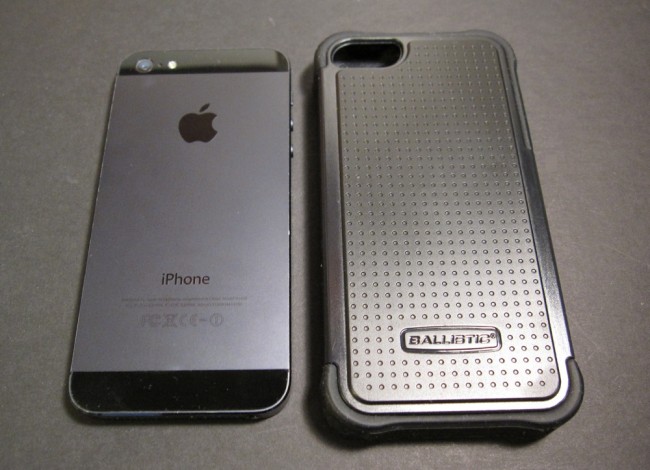
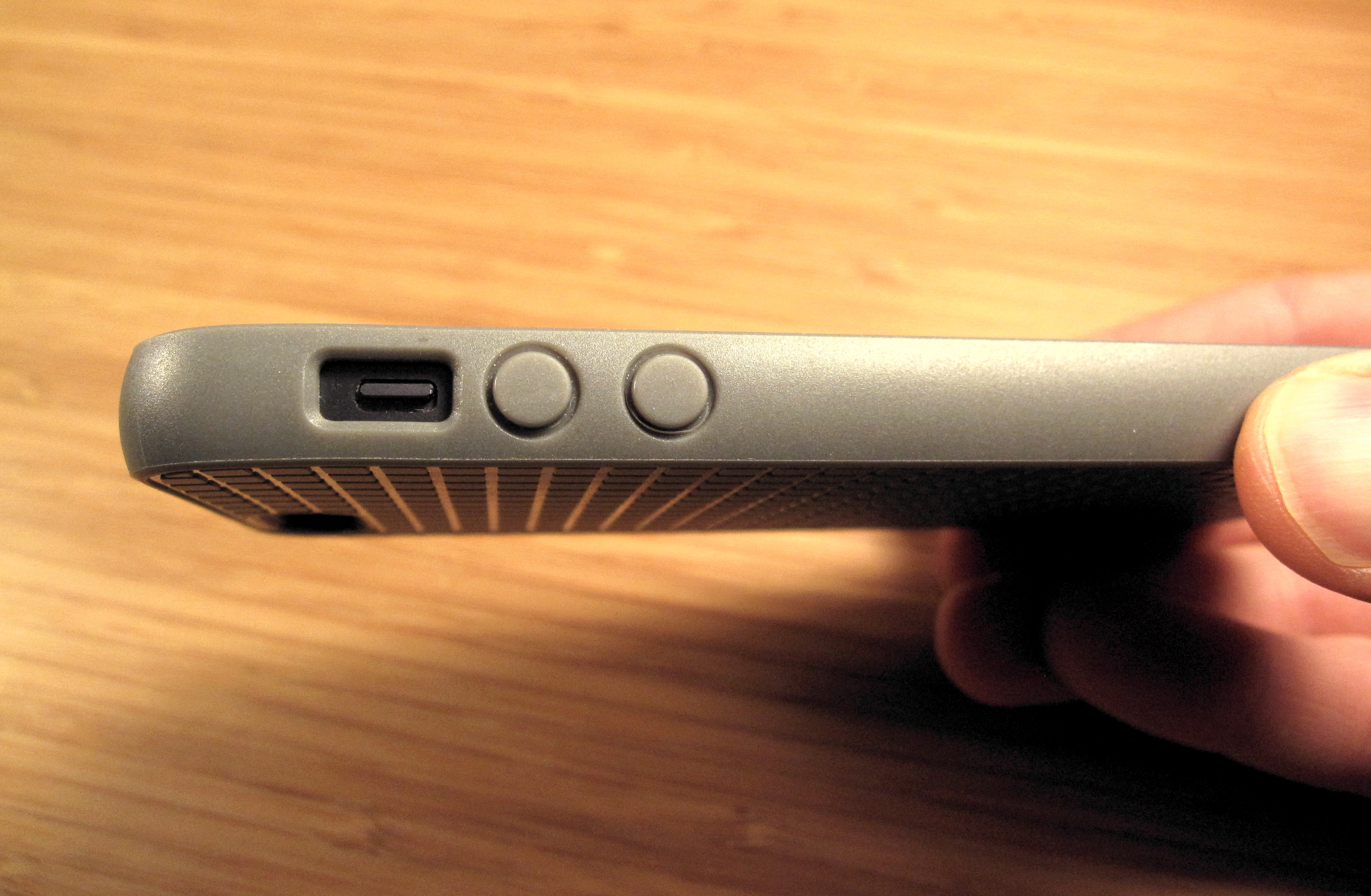
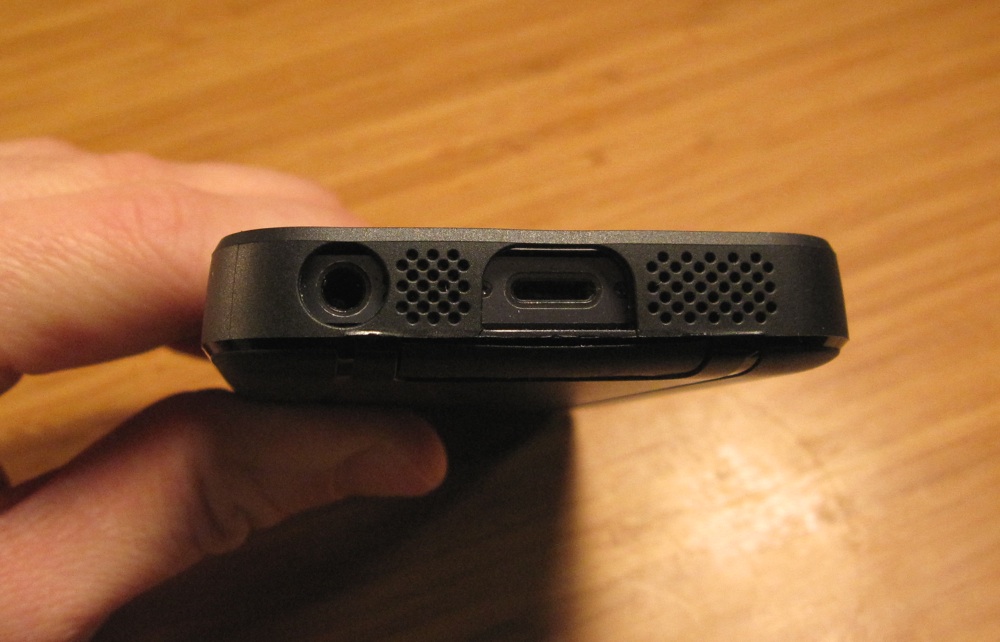
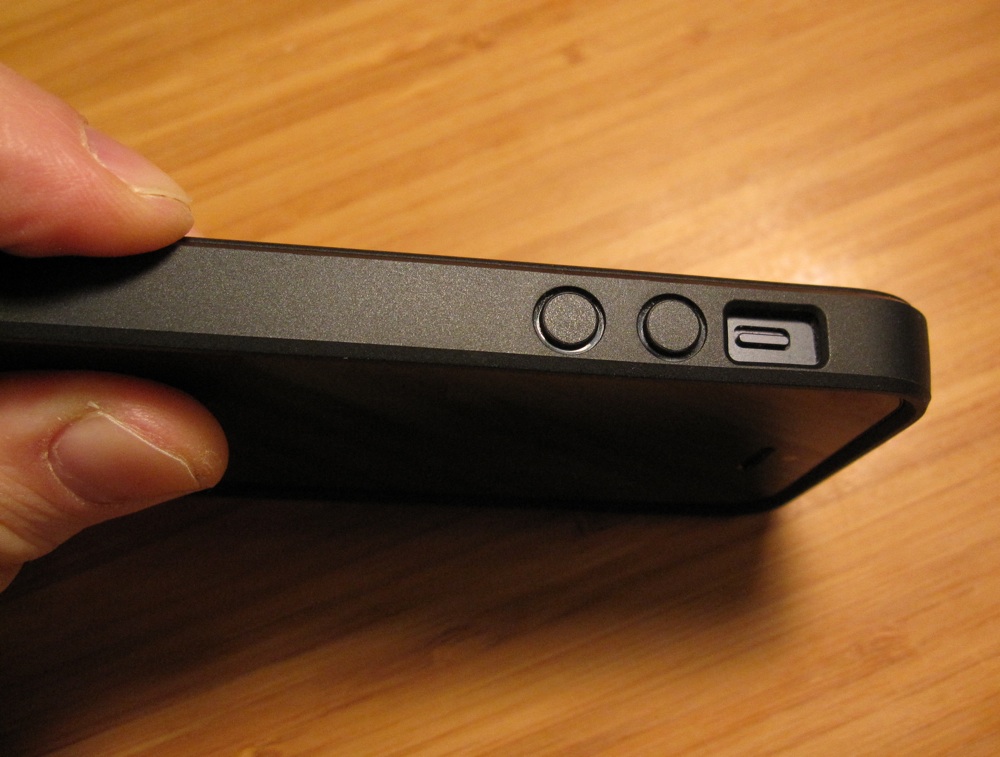
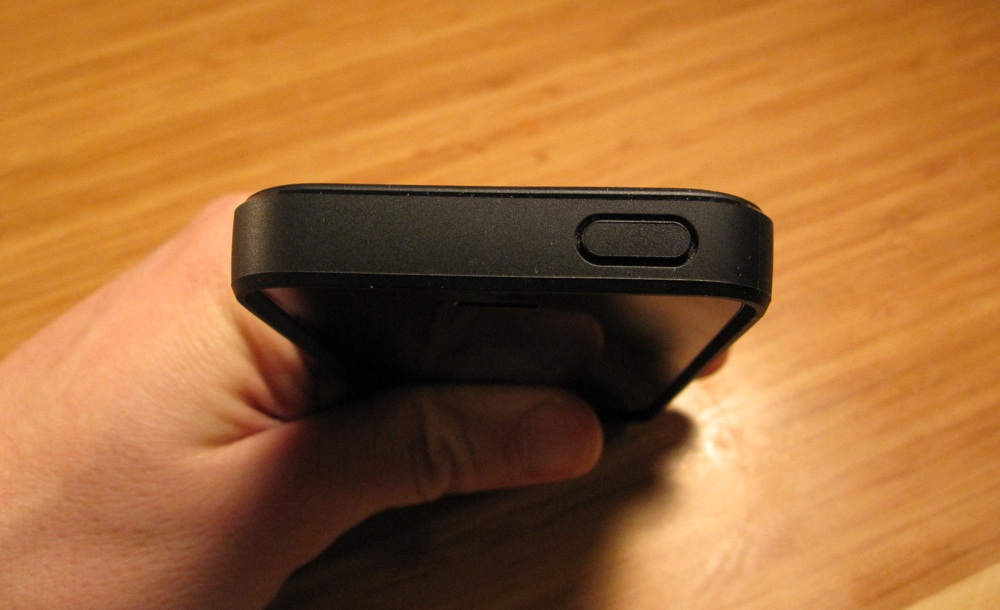
Accessibility. An important question with any iPhone case is, can I still use all of the iPhone’s features with the case on? With the Ballistic Shell Gel, all of the iPhone’s buttons and ports work as expected with the case on. The Shell Gel uses simulated rubber buttons to cover up the iPhone’s own buttons, but these buttons work perfectly when pressed—no extra effort required. In fact, I kind of like the comfortable rubber feel of the case’s buttons over the iPhone’s own. There is only minor flaw with this case when it comes to accessibility, and it lies with the mute switch. The cases’s tight rim around the mute switch makes it slightly harder to flip—I had to dig in with my fingertip a bit to flip the switch. Not a deal breaker, but still a minor flaw worth noting.
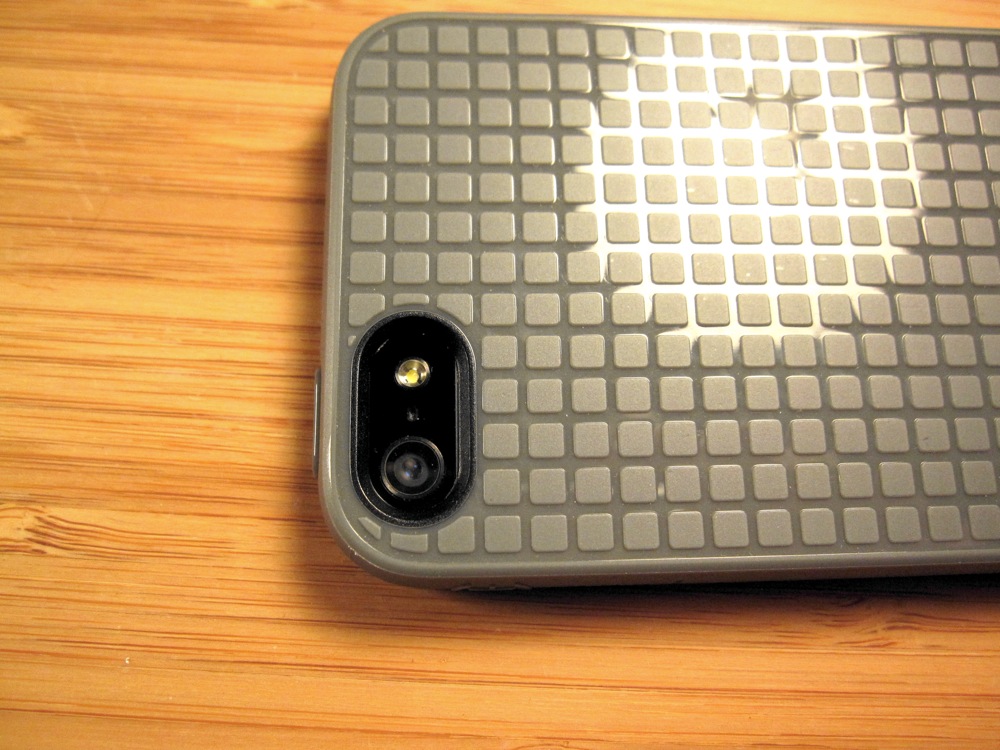
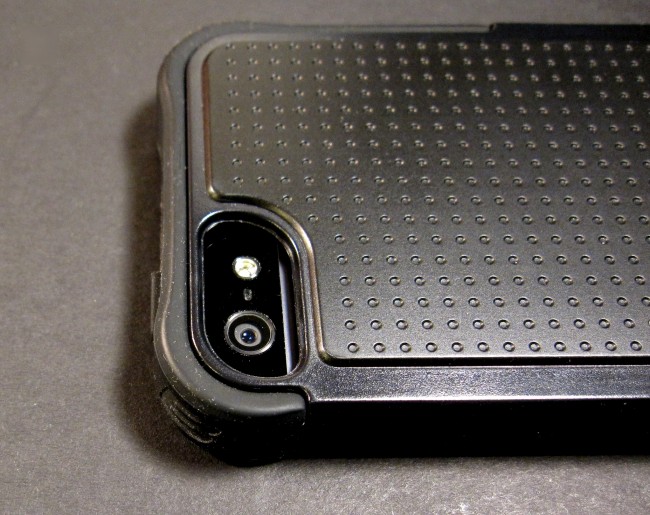
The iPhone’s camera is likewise unobstructed, as the case leaves a good sized cutout area around it. The camera is set back a bit, which might have a slight effect on the amount of light reaching the lens, but if there is a noticeable effect, I didn’t see it in the photos I took with the case on.
Fit and Feel. When I first wrapped the soft inner layer of the case around the iPhone, I was surprised at the loose floppy fit—but once the hard-plastic outer layer went on, the case suddenly became a solid feeling case without creakiness. Sure, there is still a stretchiness to the case on the front bottom and top due to the soft polymer, but it’s not an issue and doesn’t detract from the case.
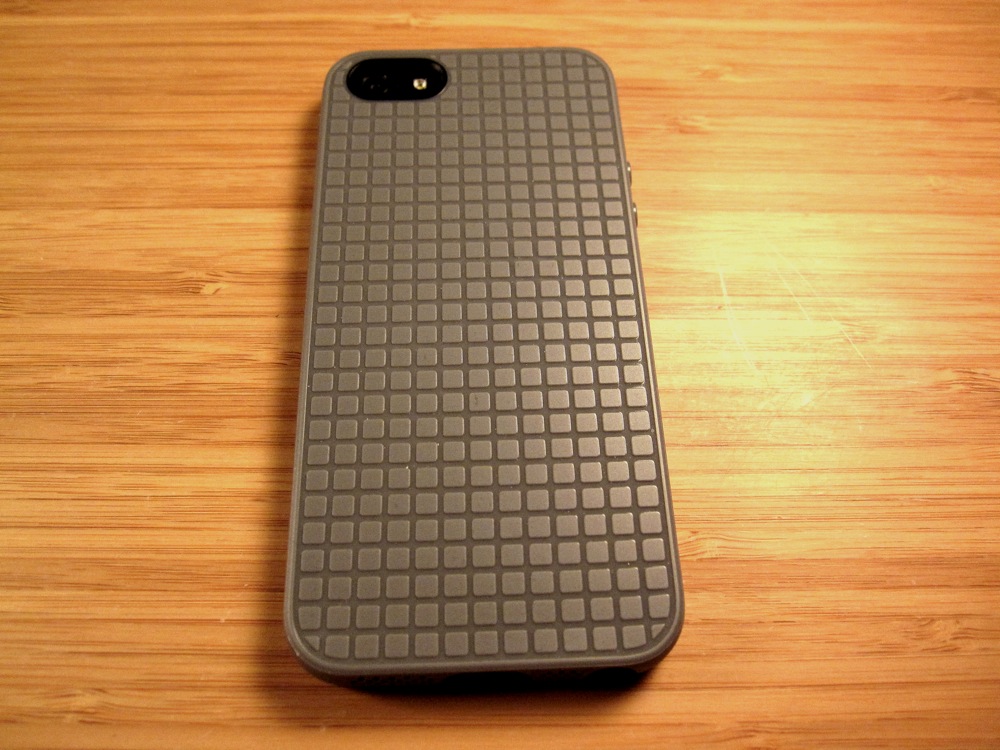
Overall, the case feels pleasant enough to hold in the hand. I especially like the dimpled texture of the back of the case, which helps increase grip. The case is a bit thick and adds a good deal of weight—I would compare the iPhone 5 with a Shell Gel on as slightly heavier than a case-less iPhone 4, and a tad bit thicker that that classic device. Still, that is the price you pay for the Shell Gel’s excellent protection, and it’s not that high of a price, at that.
Looks. The Shell Gel is a rugged-looking case. I reviewed the all-black version (as is my usual preference), but the case is also available in 6 other color schemes, in case you want to add a touch more color. Dozens of tiny dimples on the case’s back are the most visually distinguishing feature of the case, and they supply a utilitarian, almost sporty, look. Overall, I would describe the Shell Gel’s look at as functional, not fashionable.
Conclusion
The Ballistic Shell Gel ($35) is purely in the business of protecting your iPhone 5, and it’s quite good at it. With its bulging, extra-thick padded corners, the case recognizes these impact points as the areas most likely to take the brunt of initial impact, and so it reinforces them. The Shell Gel is an all-around well-designed case that doesn’t get in the way of using the iPhone on a daily basis. Sure, it adds a bit of bulk and weight, and it’s hardly a fashionable case, but for what’s really important in an iPhone 5 case, the Shell Gel gets it right.
Pros:
- Extra padding for the iPhone’s impact points
- Great all-around protection
- Doesn’t get in the way of using the iPhone’s various features, buttons, and ports
Cons:
- Adds thickness and weight to the superslim iPhone 5
- Not exactly a “pretty” case.