If you want something…anything…to put in the new Passbook app, you can use the free Target app (link) to put something there. It has a weekly “mobile coupon” that will sit in Passbook. Because Passbook is not very intuitive to use, here’s a quick review of the process of sending the coupon from the Target app into Passbook (I even used the coupon in a store).
Setup. As people are quickly discovering, the new Passbook app comes with almost no instruction. It’s all up to you to figure it out. With the Target app, it’s not exactly a quick process. It took me about 5 minutes for the initial setup. Here’s what you’ll have to do:
- Download the Target app.
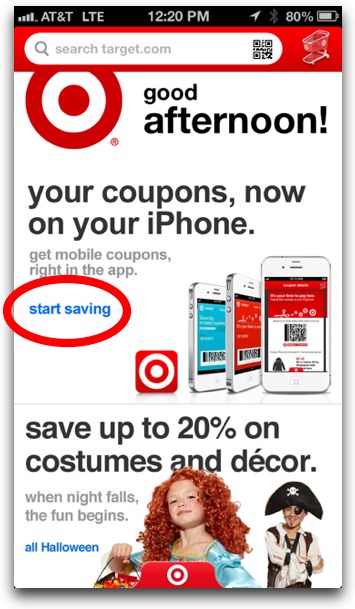
- Click on a link in the splash screen for mobile coupons.
- Sign up for a Target account, which you can do inside the app. You enter in info like phone number and favorite store.
- Receive a text message (charges may apply, of course).
- Tap a link in the text message to register.
- Access the mobile coupon in the Target app.
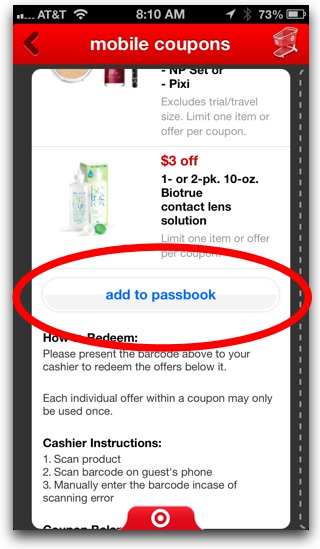
- Tap the Add to Passbook button toward the bottom of the coupon (see image below).
- Launch Passbook app to view the coupon.
What’s the Benefit of the Target Coupon in Passbook? There’s supposed to be 2 silver linings to all that hard work: 1. A shortcut to the coupon will show up on the iPhone’s lock screen when I enter a Target store, making accessing the coupon a breeze at checkout. Note: This didn’t work. 2. The coupon in Passbook will automatically update itself every week. I’ll have to wait a week to see it this works (*Update* This didn’t work either. I had to manually update the coupon by going into the Target app and tapping Add to Passbook).
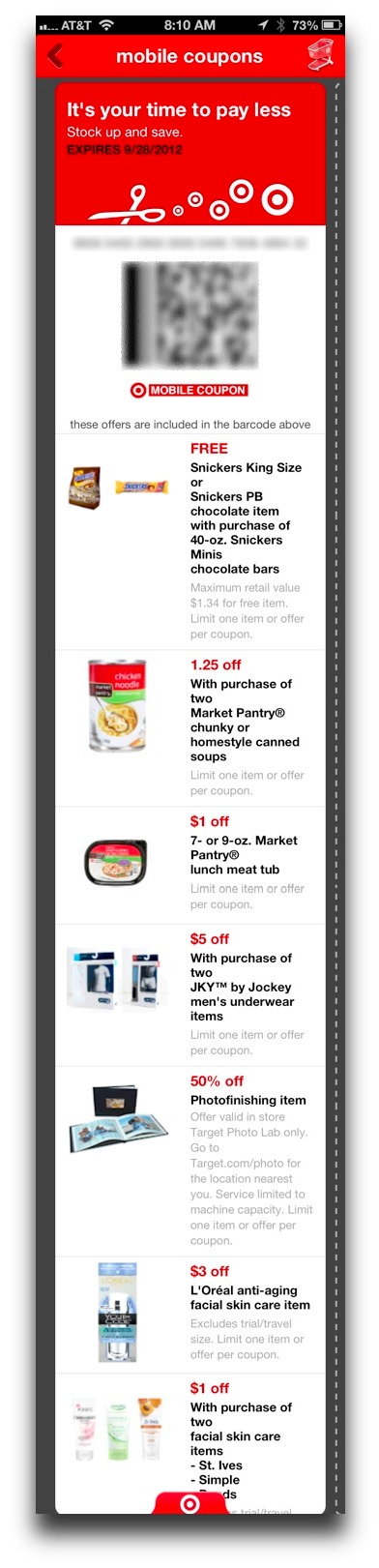
The coupon is not for just one deal but rather several different deals. See the image below for my coupon. Note that the image below is not the coupon as seen in Passbook, but rather in the Target app itself. The coupon in Passbook is a simply a barcode upon initial view; however, for more info, you can tap the lowercase “i” in the bottom right corner and it will flip over to provide coupon info. The coupon in the Target app is better because it has images and formatting. For the image below, I blurred out the barcode and number.
What Worked. What Didn’t. The whole point of Passbook is supposed to be quick and easy access to all your coupons, tickets, and rewards cards, all in one place. A keystone feature of Passbook is supposed to be the location-based pop-up. When you walk into a Target store, a pop-up will appear on your iPhone’s lock screen so that when you check out, you just swipe the pop-up to launch the coupon. Unfortunately, it didn’t work for me. There was no pop-up.
The coupon, however, did scan at checkout ($1.50 off with purchase of 2 Market Pantry soups!). The cashier used a barcode scanner to scan my iPhone 5’s screen. One interesting tidbit about Passbook: when launched, the iPhone’s screen brightness will automatically go 100% brightness. This makes it so the coupon will scan better. Nice attention to detail by the developers.
I sneaked a peek at the register after the coupon was scanned, and it said “1 of 9 deals used.” There are 9 different deals on my coupon, so I can reuse this coupon again for the other 8 deals, just not the soup deal I took advantage of. No soup for you!
My Verdict. If Passbook’s automatic location-based pop-up would actually appear when I walk into a Target store, it would make it worth the effort. But it didn’t. If Passbook’s location-based pop-ups don’t work, there’s little point to the app. I’d rather just use the individual apps, like the Target app itself—it’s more flexible and capable of providing much more info. For example, I can view the entire coupon with all its images in the Target app, but not in Passbook. If Passbook can’t provide a quicker or more convenient experience that the Target app itself, then what’s the point?